Designing an App to Help Churches Engage with Newcomers
On a weekly basis, my church welcomes new visitors through a simple process. The goal is to make them feel connected and comfortable enough to keep coming.
On Sundays, the Guest Services team gives out "Connect" cards to newcomers, they're encouraged to fill it with their basic contact info. During the week, a team member follows up with a brief phone call to build a connection and encourage their return.
I started thinking about how a mobile app could help. Not just for my church, but in a way that's useful and applicable to any church. "Kingdom Mindset" kind of thing, ya'know.
Problem
Currently, this process is managed using Notion, which is functional, but not scalable. Through conversations with the Admin and Hosting teams, I uncovered a few friction points:
- Tedious Data Entry – Admins manually input guest details from Connect Cards into Notion, making the process slow and error-prone.
- No Periodic Reminders – Hosts get a single Notion notification when assigned a guest but no reminders, creating potential for missed connections.
- No Progress Tracking – Admins must check specific Notion pages to track engagement progress between hosts and guests.
Plan
To address the challenges identified, my app design aims to:
- Increase Productivity – Reduce manual effort for Admins and provide timely reminders for Hosts.
- Encourage Structure – Give Hosts easier access to resources for guest engagement, enabling a consistent yet personalized approach.
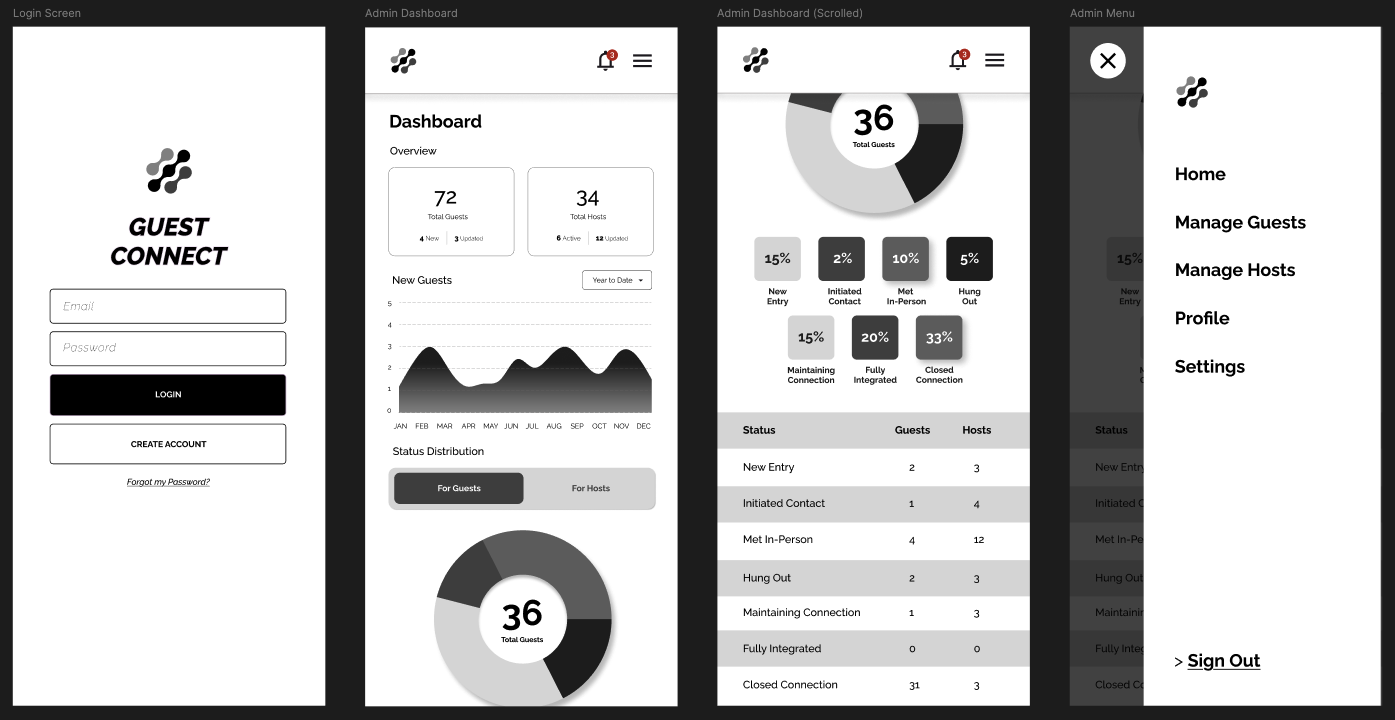
- Provide Visibility – Allow Admins to track team progress and guest follow-ups in real time.
The app will serve two primary user roles:
- Admins – Manage guest-host interactions and oversee follow-ups.
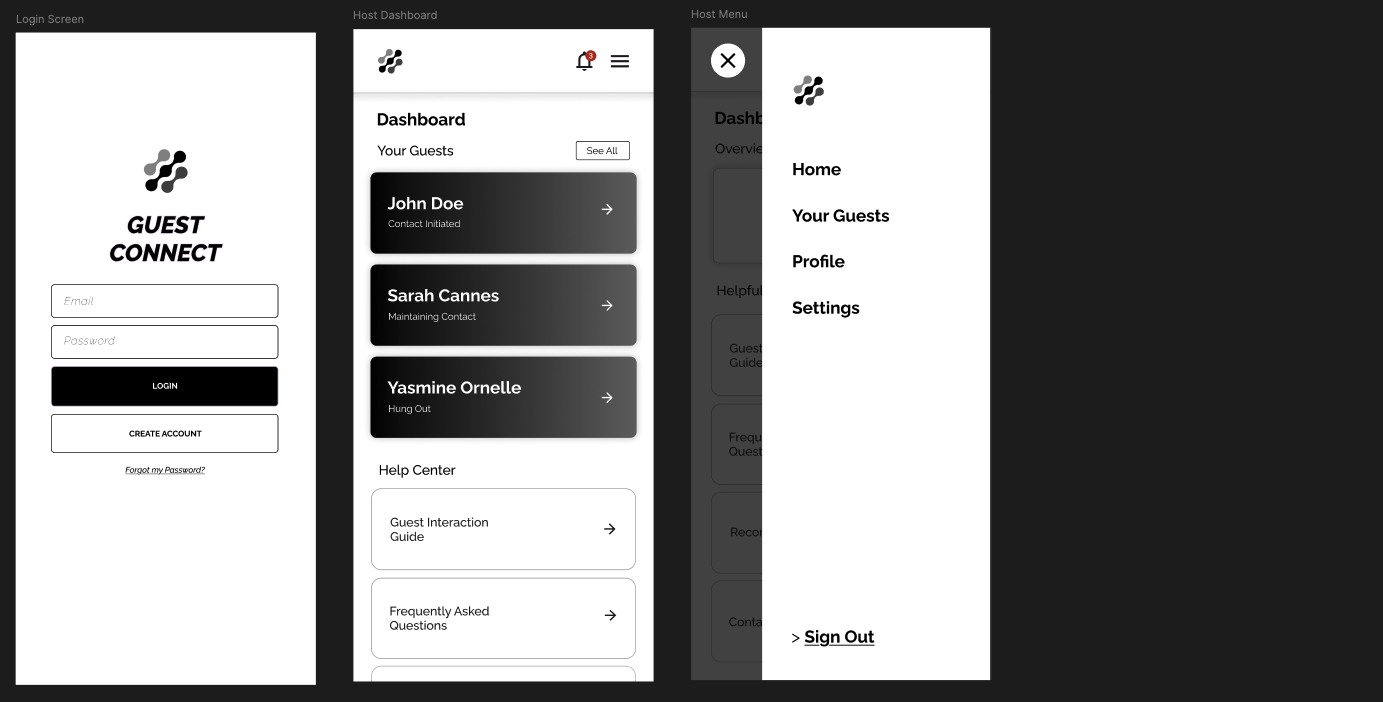
- Hosts – Engage with assigned guests and track their progress.
Admins should be able to:
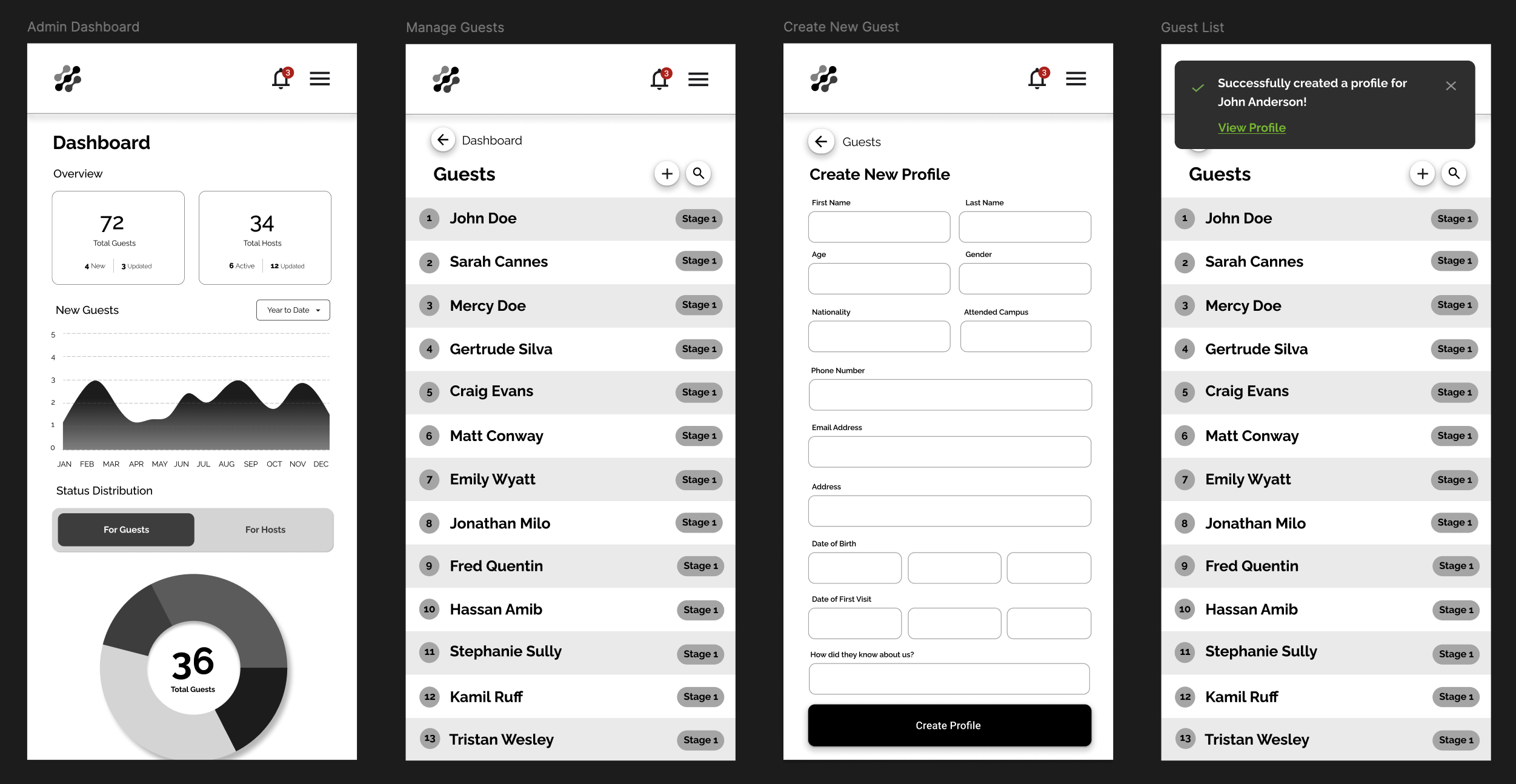
- Manage guest profiles – Create, view, search, edit, remove.
- Manage host profiles – Invite, view, search, remove.
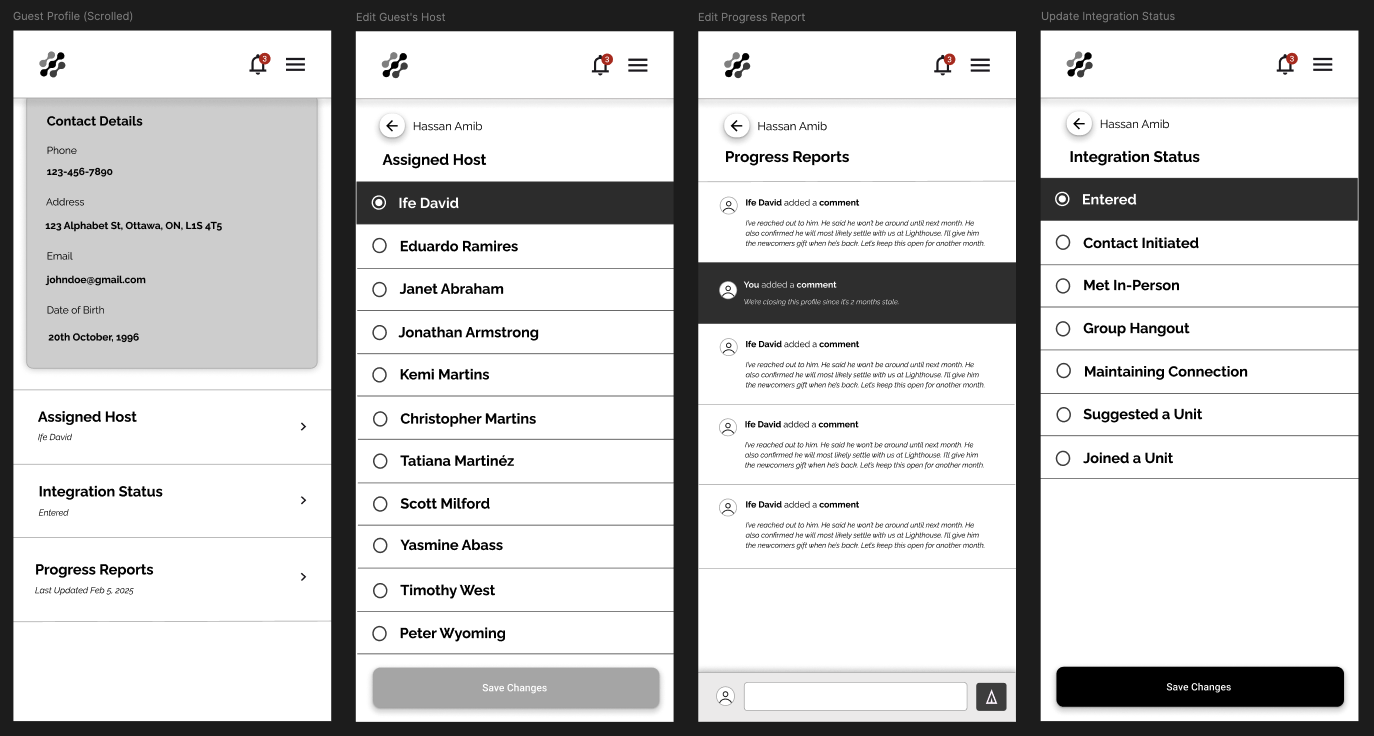
- Assign a host to a guest profile.
- Track engagement through visual reports.
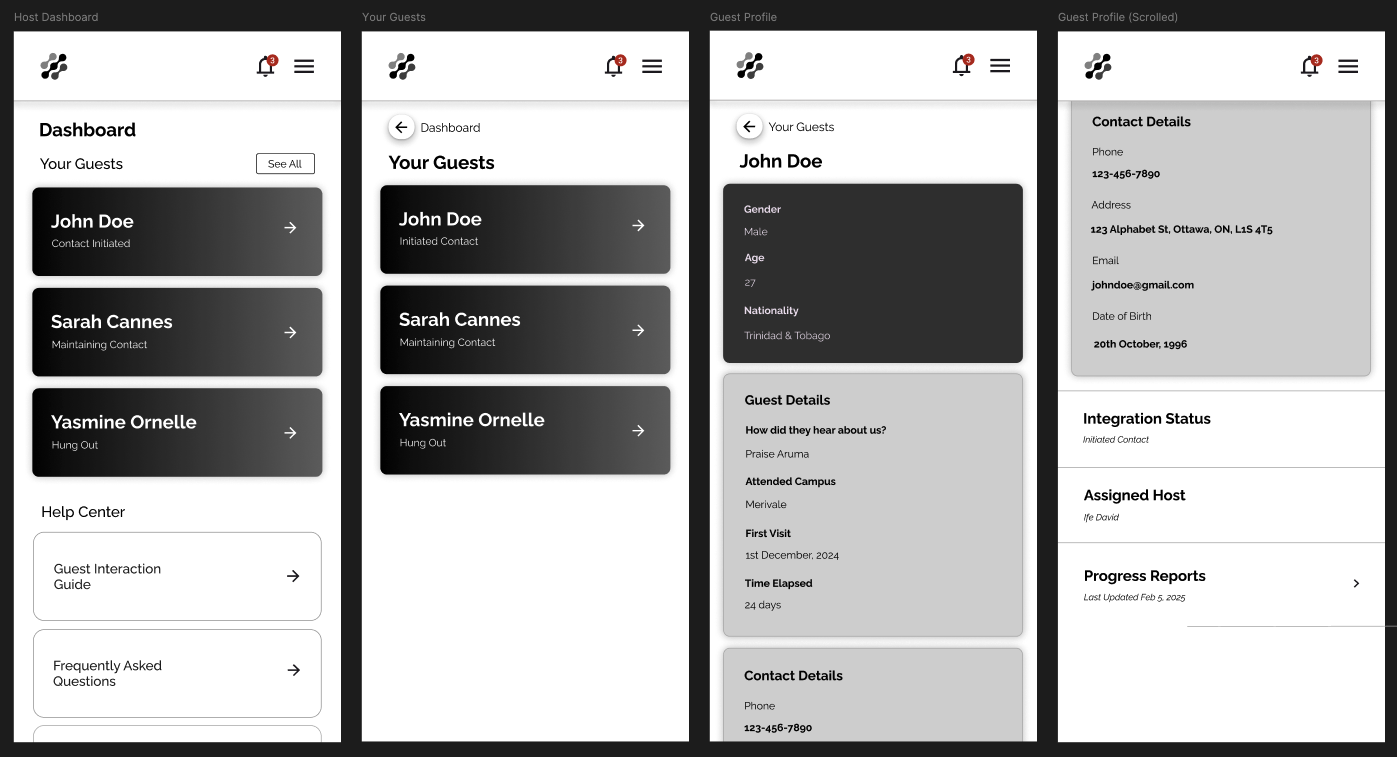
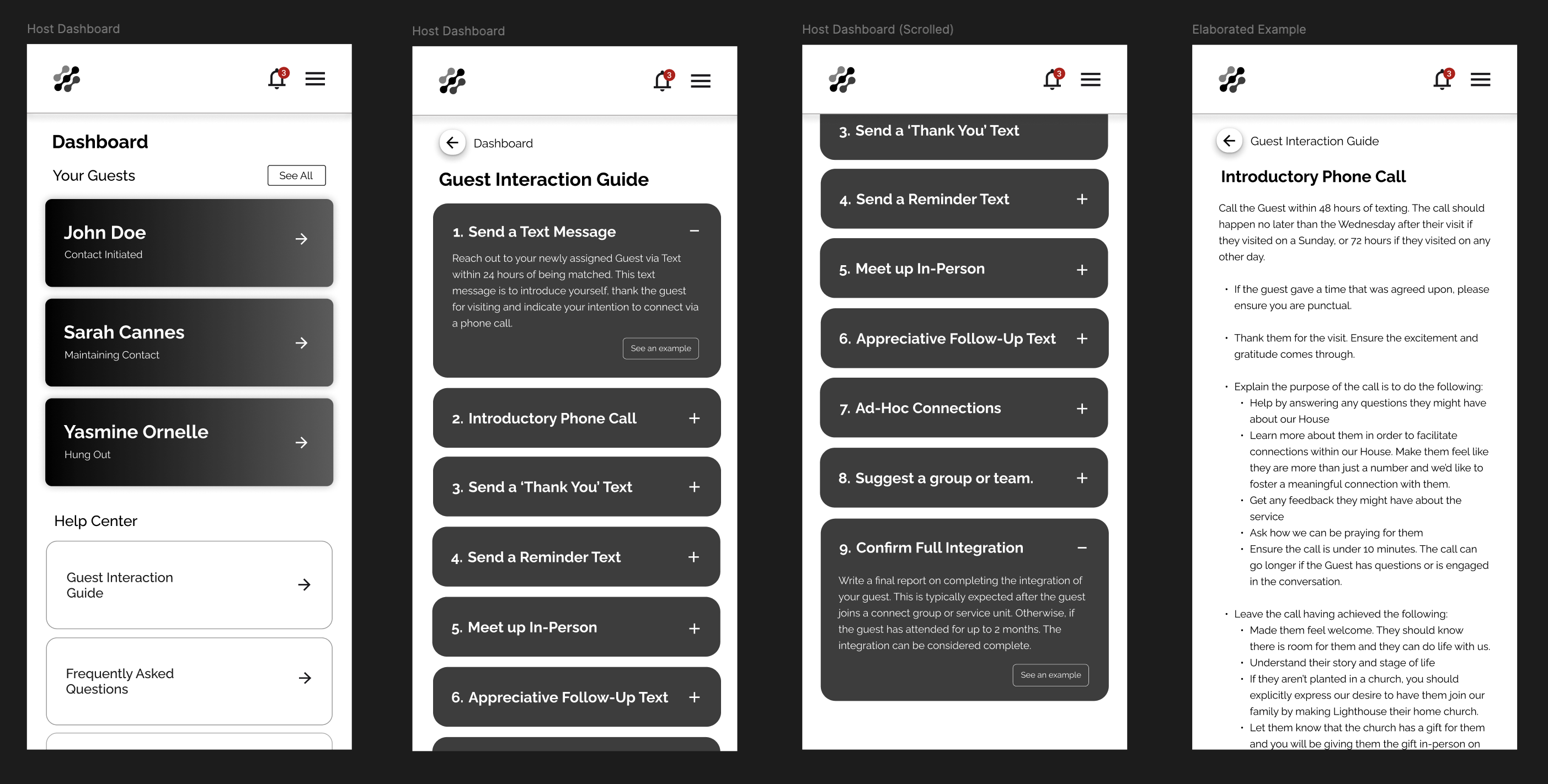
Hosts should be able to:
- View assigned guests in a dedicated list.
- Access helpful resources for engaging with guests.
Both users should be able to:
- Receive relevant notifications and reminders.
- Report progress on guest interactions.
- Manage their account (sign up, login, profile updates, etc).